



At PIT Solutions, we specialize in building robust and scalable digital commerce solutions that simplify online business operations.One such powerful integration is the Wallee Payment Bundle for Pimcore, designed to streamline payment processing within Pimcore-based e-commerce applications.
What is the Wallee Payment Bundle for Pimcore?
The Pimcore Wallee Bundle provides a comprehensive wallee payment integration solution for Pimcore e-commerce applications. It leverages the Wallee PHP SDK to facilitate secure online payments, manage transactions, and handle refunds.
Key Features of Wallee Payment Integration
- Unified Payment Gateway: This extension centralizes payments through a single gateway, enabling transactions with numerous providers including Credit/Debit Card, PostFinance E-Finance, PostFinance Card, PostFinance Pay, and TWINT.
- Comprehensive Payment Processing: Wallee goes beyond basic payment processing by providing additional features such as reconciliation services.
- Broad Payment Network: It connects Pimcore Web Shop users to a payment hub that integrates with over 50 payment gateways and processors, ensuring a broad array of payment options.
- Efficient Integration: Utilizing the official Wallee SDK, the connector helps reduce cart abandonment by providing customers with their preferred payment methods and lowers costs through optimized payment routing.
This extension significantly enhances the payment experience for Pimcore Web Shop users, offering flexibility and cost-effectiveness while providing a wide variety of payment options.
📍Available now on the PITS Webshop Extension → PIT Solutions Pimcore Wallee Payment Bundle
Benefits of Wallee for Pimcore v10
- Multiple Payment Methods: Support for multiple payment methods including credit cards, digital wallets, and local payment options.
- Flexible: Flexible payment page modes (iframe, lightbox, payment page).
- Transaction Management: Comprehensive transaction tracking and history management.
- Refund: Built-in refund processing capabilities.
- Webhook: Automatic transaction state synchronization.
- Robust: Robust error handling and logging.
Installation steps
This release requires the official Wallee PHP SDK to enable communication with Wallee's payment services.
1. Install via Composer
- composer require pits_pimcore/pimcore-wallee-bundle
2. Install Wallee SDK
- composer require wallee/sdk
3. Enable Bundle
- Add the bundle to your config/bundles.php:
php
return [
// ... other bundles
Pits\PimcoreWalleeBundle\PimcoreWalleeBundle::class => ['all' => true],
];
4. Install Plugin
- ddev exec bin/console pimcore:bundle:install PitsPimcoreWalleeBundle
This will install the bundle and also create all the required tables. This command also installs the required routes and configuration.
Plugin Configuration and Workflow
The Wallee back-end offers flexible configuration options to tailor the payment experience:
1. Payment Method Management
Administrators can define which payment methods are available to users, customizing the payment options as needed through the Pimcore backend.
2. Payment Completion Process
Administrators have the choice to:
- Redirect users to the payment service provider's site for transaction completion, or
- Handle payments within the shop site using an iframe
The method of handling payments (redirection, iframe, or lightbox) depends on the capabilities of the payment service provider.
3. Enhanced Security with 3D Secure
3D Secure functionality to add an extra layer of security during the checkout process. When enabled, users will be directed to the 3D Secure service of the payment method to handle their payment details securely.
Pimcore Backend Configuration for Wallee
You can access the payment provider settings through the following menu options:
- Settings > Wallee Settings > General Settings.
- Settings > Wallee Settings > Payment Methods.
These paths will direct you to the configuration settings for managing payment methods.
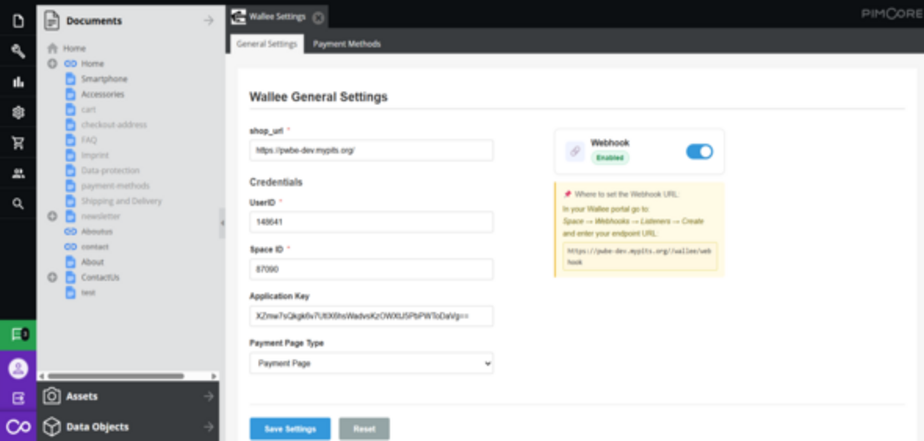
This section allows you to configure your Wallee account by entering the necessary credentials associated with your Wallee Payment Provider space.
Enter Your Credentials: Provide the required Space ID, User ID, and API Key to establish a secure connection with your Wallee account.
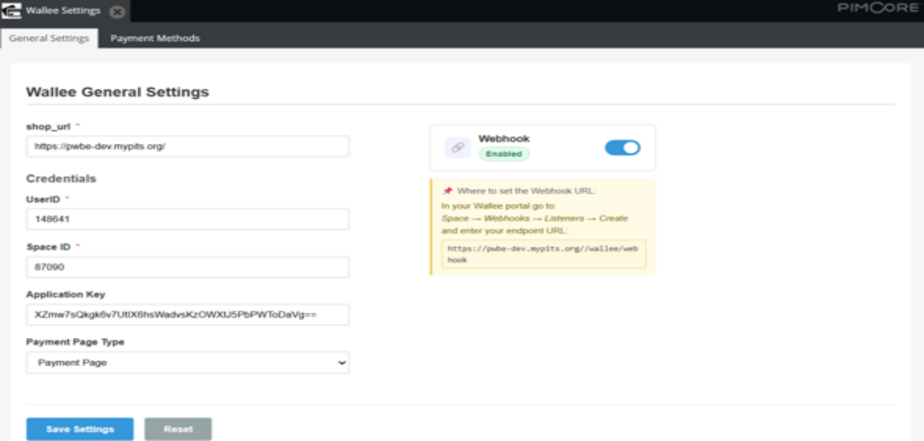
Ensure that the credentials entered are accurate to avoid connection errors.
Select the Payment Page Type: Choose your preferred payment page type to define how the payment interface is displayed to customers. The available options are iFrame ,PaymentPage and Lightbox.
Payment Methods: Click the Payment Methods button to view and manage the available payment methods
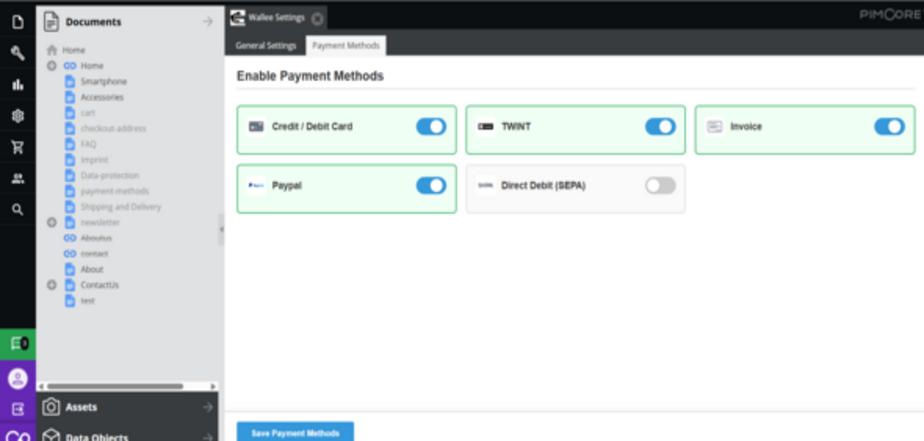
Payment Methods Listed in Pimcore Backend
To configure the Wallee Payment Provider in Pimcore, you will need the following details from Wallee:
-
Rest API UserID: The Application User ID created in app.wallee.com.
-
Rest API SpaceID: The Space ID obtained from app.wallee.com.
-
Application Key: The Application Key generated in app.wallee.com.
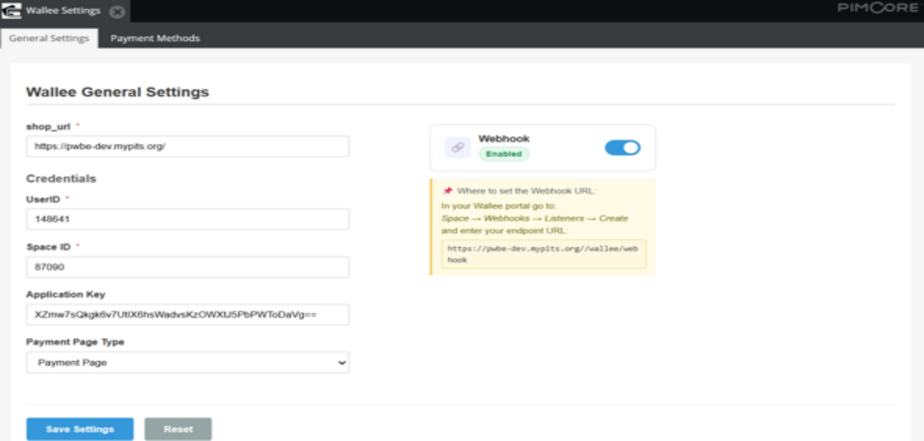
Payment Processing from Website
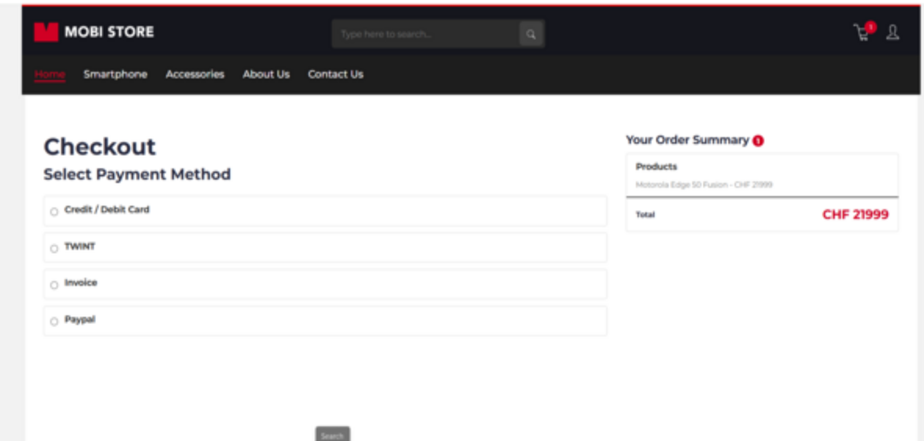
Choose your preferred payment method from those listed on the payment screen based on your currency. Then, click the 'Pay option button to proceed to the Wallee payment interface and complete your payment.
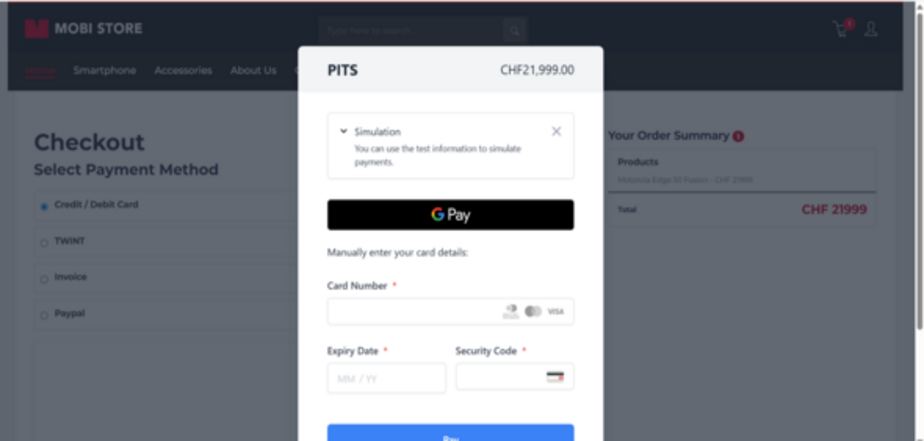
To proceed with your payment, enter your card details in the designated fields and click the 'Confirm'/’Pay’ button. Upon successful submission, you will be redirected to the Payment Status page on the Pimcore eCommerce website, where you can review the outcome of your transaction.
Order Confirmation
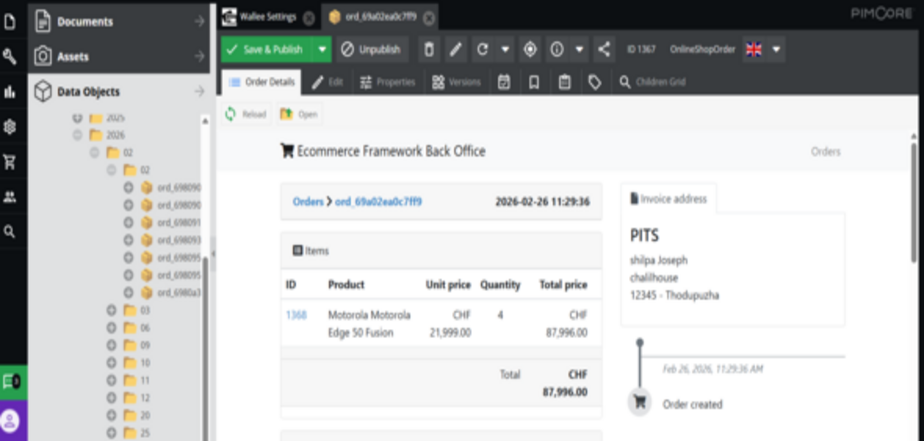
Once the payment is successfully processed, an order confirmation is generated. This confirmation provides a summary of the transaction, including the order details, purchased items, and payment status. The customer will be notified of the successful order placement on the confirmation page.
Order Status
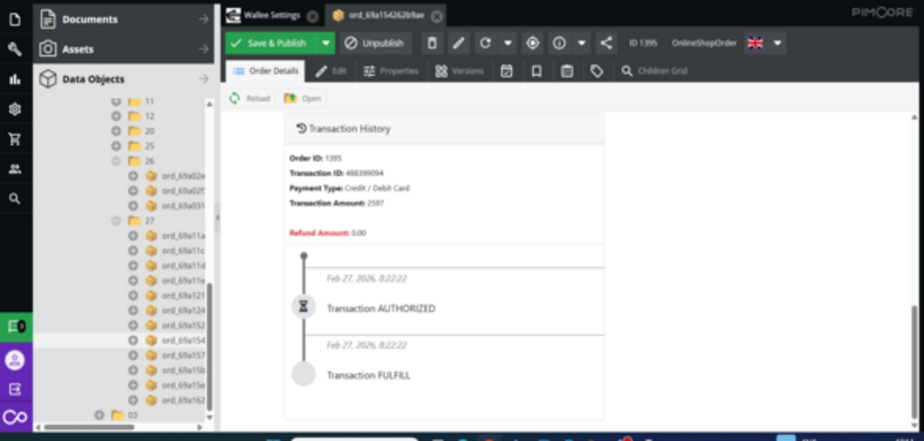
The Order Status page displays the current state of the customer's order following payment processing. Possible statuses include Pending, Processing, Completed, or Failed, allowing both the customer and the store administrator to track the progress of the transaction in real time.
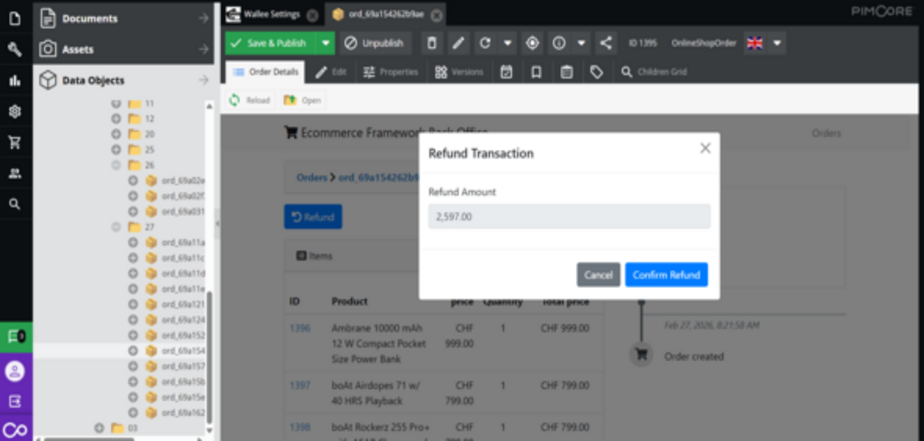
Processing Refund
-
A transaction for the specified refund amount will be created and can be viewed in the Wallee back office
Transaction Updates
The plugin includes the following actions to ensure seamless integration with the payment provider:
-
Update Payment Transaction Status: Updates the status of payment transactions to ensure that the latest information is reflected in your system.
-
Update Refund Transaction Status: Refund transactions are accurately tracked and updated in your system.
-
Synchronize Payment Methods from Wallee Back Office: Synchronizes the available payment methods from the Wallee Back Office, ensuring that your system always has the most up-to-date options for users.
-
Cron Job for Transaction Status Updates: A cron job has been implemented to automatically update transaction statuses at scheduled intervals, ensuring that your system remains in sync with the latest payment states without manual intervention.
-
Webhook Integration: A webhook has been implemented to receive real-time transaction updates directly from the Wallee back office. This ensures that any changes in transaction or payment status are automatically reflected in the backend without delay.
Technical Requirements / Compatible With:
-
Technical Requirements Pimcore 11.0 with ecommerce Framework Bundle.
-
Compatible with Pimcore 11.0.
Change Log /Release Notes
-
Version 1.0.0 : March 2026 / Initial release
In conclusion, PIT Solutions is your trusted partner for implementing the Wallee Payment Bundle, delivering secure and seamless e-commerce payment solutions. With expertise in Wallee payment gateway setup, Pimcore payment integration, and secure payment integration, PIT Solutions helps optimize your online payment experience.
Visit to Order Contact us today